 日本語
日本語
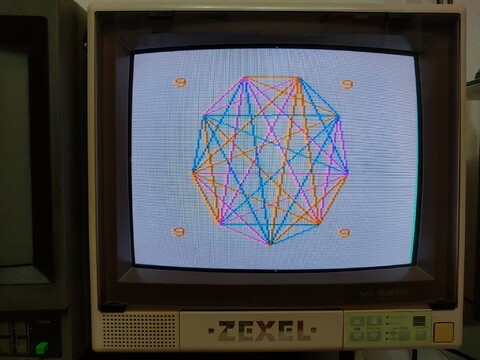 |
2020年02月24日 - デモンストレーションプログラム・PC-6001 This is NEC’s official demonstration tape for the PC-6001, which offers the user a glimpse into what is possible with their new computer. 続き⇒ |
 |
2020年02月18日 - NEC PC-6001mkII This is another system I had initially decided I didn’t want to get. As I mentioned before, I didn’t want the NEC PC-6001, because I’d tried the PC-6601SR, which was supposedly the top of the top of the PC60/66 group, and I wasn’t especially interested in it (although in retrospect, I could have tried harder). But the quirkiness and frankly the cheapness of the PC-6001 won me over. All of the cost-saving measures they put into the machine made it a unique experience. Despite, or perhaps because of, its ugly green background and peculiarly designed keyboard, I ended up liking it quite a bit. 続き⇒ |
 |
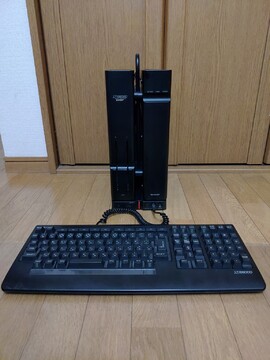
2020年02月10日 - 富士通OASYS 30-SX401 I've always had a distant interest in Japanese word processors, but I had pretty much made up my mind not to get one. They're big and bulky and it's taking up a considerable amount of floor space in my room. 続き⇒ |
 |
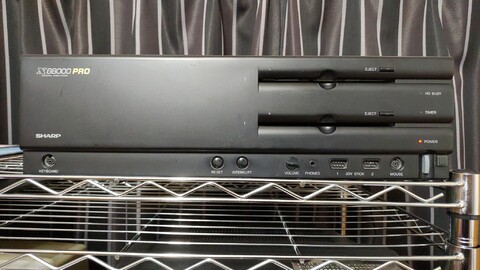
2020年02月02日 - シャープX68000 EXPERT Now I will take the opportunity to post about my X68000 Expert itself. As I mentioned in my previous post, which details the various stops along the way of getting an X68000, this was a serviced and guaranteed working system, meaning it was not cheap. But these are such problem-prone machines I wanted to have the best chance possible of continued operation. 続き⇒ |
 |
2020年01月27日 - 遠回りでX68000 EXPERTを This post turned out very differently from my intention. I just wanted to introduce the X68000 hardware that I currently have. But that will happen later. Once I started typing this out, I realized I wanted to find out one thing – the bottom line. So while I don’t usually talk about exact prices on this blog, this is an exception. 続き⇒ |
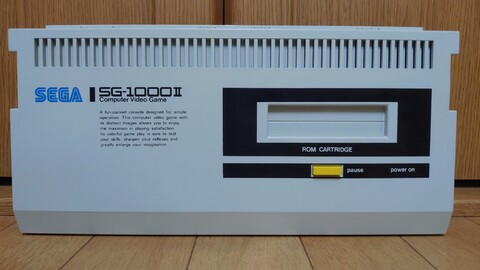 |
2020年01月22日 - セガSG-1000 II There’s this guy that repeatedly posts wonderful items to Mercari at really low prices. For example, 4000 yen for a Commodore MAX Machine. Tape games for fairly uncommon systems at 500 yen each. The items are almost always snapped up in less than a minute. I always try to get in on this action, but it’s long gone before I have a chance. 続き⇒ |
 |
2019年11月23日 - FM TOWNS 2Fの買い直し I’ve been spending more time on alternatives to Yahoo Auctions these days. Right now, there is a small window of opportunity for buyers using the PayPay Flea Market application. Because this is a new channel for selling off your old stuff, they are running a free-shipping promotion to improve brand recognition and increase the number of items for sale. 続き⇒ |
 |
2019年11月18日 - X1ウィジェット I saw this thing on Yahoo Auctions a few months ago. I was interested, but it was kinda expensive, it ended up going for 7500 yen. I passed. But it suddenly showed up on PayPay Flea Market for 500 yen, including shipping! So it was a no-brainer. 続き⇒ |
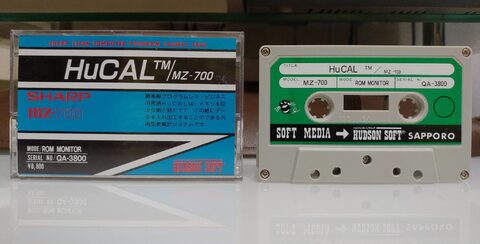 |
2019年11月01日 - HuCAL・MZ-700 I picked up this MZ-700 application. I enjoy poking around with them, just to see what productivity was really like back then. The most productivity I can recall doing back in my childhood was using Magic Desk I on the Commodore 128. It was basically a typewriter emulator, so doing more sophisticated things like this spreadsheet application is a pretty new experience for me. 続き⇒ |
 |
2019年09月30日 - NEC PC-8801MA2 I was a little hesitant about this one at first. I couldn’t tell if I had a few bad disks or if there was something wrong with a drive or the controller, but I’m growing a little more confident that the disks were at fault and the computer is fine. 続き⇒ |
| 八 ビ ッ ト hachibitto |